 SokuPhoto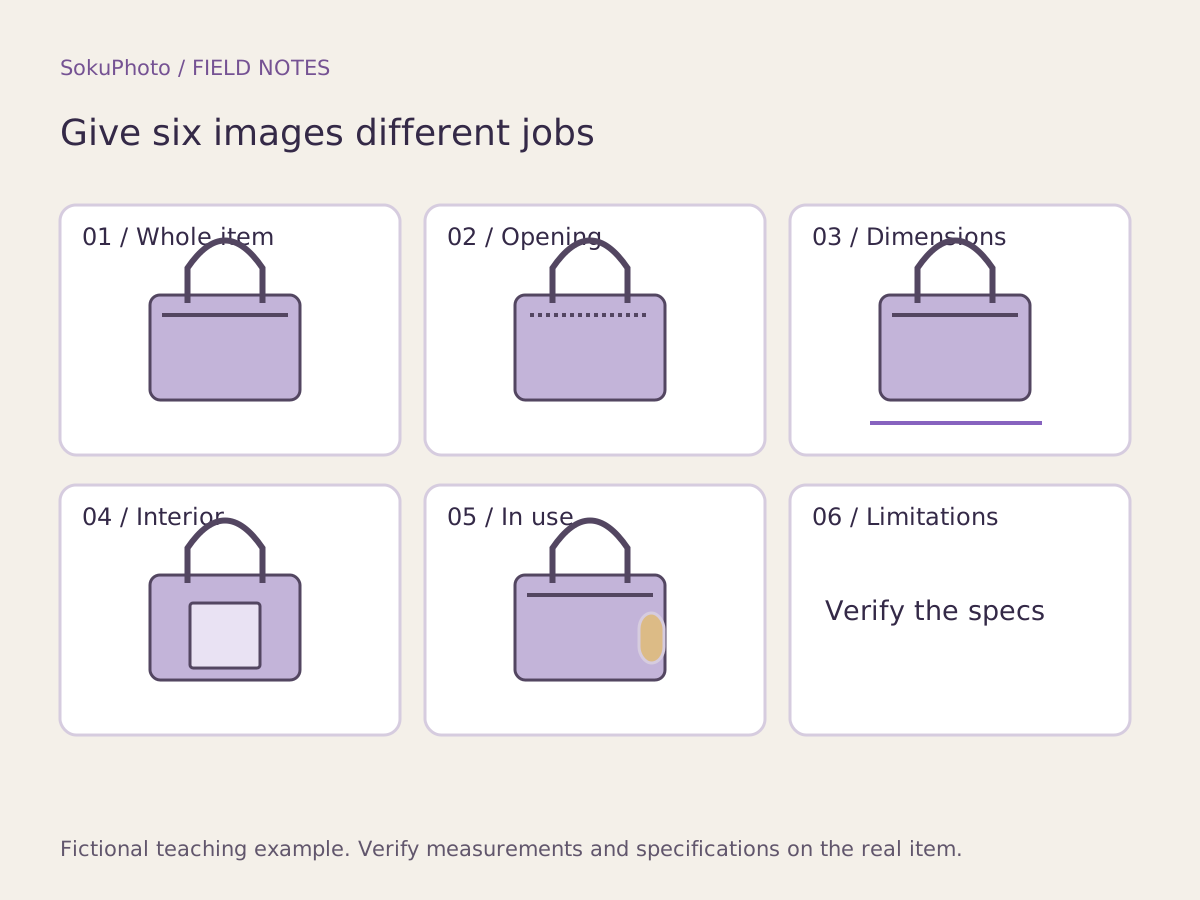
Assign one question to each image
For a bag that stores small items, list questions such as: What will arrive? How do I put things in and take them out? Will it fit where I want it? Is the interior divided? What does it look like in use? What limitations should I know before buying? Questions vary by product type, so do not treat 6 images as a mandatory format.
Etsy's guide also distinguishes photos by purpose, including details and scale. The order below is a planning example created by SokuPhoto, not an Etsy rule. Arrange images around the next unanswered question, rather than visual impact.
A 6-image storage bag storyboard: record missing assets too
The diagram and table are a production plan, not a real product. Do not advertise dimensions or capacity while they remain unconfirmed. Identifying missing assets early helps avoid creating backgrounds repeatedly only to discover that you need another photo shoot.
| Order / question | Evidence needed | Image role | Asset gaps |
|---|---|---|---|
| 1 What will arrive? | Real photo of the individual item for sale | Overall front view | Front photo available |
| 2 How does it open? | Real photo with the zipper open | Opening detail | Take an additional photo with it open |
| 3 Will it fit on a shelf? | External dimensions and measurement points | Dimension explanation | Dimensions are unknown |
| 4 What is the interior like? | Real photos of the interior and dividers | Interior photo | Take additional interior photos |
| 5 How do I use it? | Confirmation of what actually fits inside | In-use scene | Confirm the statement that small props are not included |
| 6 What should I know? | Actual specifications and care information | Caveats | Do not use unverified waterproof claims |
Choose templates after defining each image's role
For the overall photo, choose a background that does not distract from the product. For dimensions and caveats, choose a layout that makes short, confirmed copy readable. You do not need to squeeze all the information into a mood image. Whether the platform permits text in the main image is a separate question, so keep explanatory images distinct.
Before using copy such as 'plenty of storage,' verify what fits and in what quantity. Also clarify when small items shown in the photo are not included. Do not invent unverified durability or material claims to fill a template's empty fields.
Review the full sequence on mobile
View the draft product page from the beginning and briefly note what you learned after each image. If 'I learned the color' appears 3 times while the interior remains unclear, replace one image with an interior photo. Simply increasing the image count does not resolve missing information.
Finally, check for repetition and contradictions with the product description and options, rather than judging the images alone. SokuPhoto creates images; you set the store's image order on the sales platform. Once the person responsible for the product resolves missing assets, proceed to production with the confirmed storyboard.
- Read each image's question and answer aloud.
- Combine images that give the same answer in succession.
- Take additional photos for unanswered questions, such as dimensions or the interior.
- Set the display order in the store and check it on mobile too.
Before you publish
- Each image serves a different informational role.
- No unnecessary images have been added just to reach 6.
- Dimensions, functions, and materials have a verification source.
- Props cannot be confused with what is included in the sale.
Sources & editorial notes
Original workflows, examples and diagrams by SokuPhoto. Fictional examples are not customer results. Verify the actual product and destination requirements before publishing. Sources reviewed: 2026-09-17.