 SokuPhoto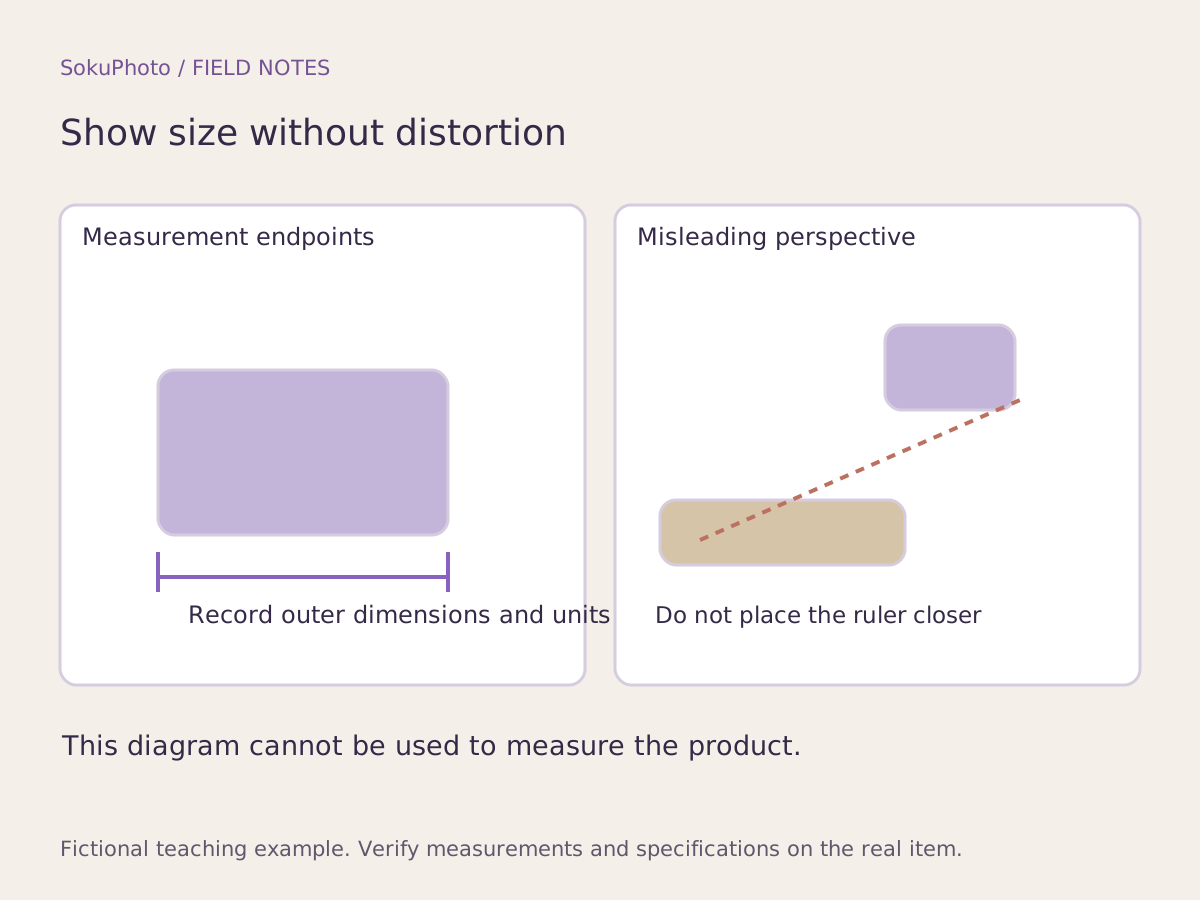
Decide which dimensions buyers need first
An image size of 1000 × 1000px describes the image data, not the product's width. For a storage box, distinguish the external dimensions needed to fit it on a shelf from the internal dimensions needed to fit things inside. Whether measurements include handles or a protruding lid also affects that decision.
Etsy lists showing scale as one purpose of product photography. The original example below applies that idea to a plan for a small storage box. It is not a report of measured dimensions or photographic effects.
What rulers, hands, and in-use scenes can and cannot show
Place the reference object close to the product and at the same depth. Comparing a ruler in the foreground with a product farther back can distort the apparent size through perspective. A handheld photo communicates how the item is handled, but hand sizes vary, so supplement it with measurements.
| Buyer's question | Measurement method / reference | Potential misunderstanding | Numbers to add |
|---|---|---|---|
| Will it fit on a shelf? | Measure from one outer edge to the other | Leaving out the lid or protrusions | Maximum width, depth, and height |
| Can I hold it in my hand? | Hold the actual item | Differences in hand size and wide-angle distortion | Measured external dimensions and weight if needed |
| What fits inside? | Measure the interior and put actual items inside | Mistaking external dimensions for internal dimensions | Usable internal dimensions |
| Will it stand out in the room? | Photograph it in its actual placement | Scaling furniture and product independently | Dimensions and a note of the shooting distance |
Record measurement starting points and units
The arrows in the explanatory diagram show where to measure; their drawn lengths are not a way to calculate real dimensions. Align the ruler's zero mark with one edge of the product and read the opposite edge. In the same record, note whether you measured the exterior or interior, whether the unit is cm or mm, and whether the lid is included.
Overlay only verified numbers on explanatory images. Writing 'width 20cm' on a photo requires a physical measurement or official specifications. Do not use AI-generated ruler markings or values estimated from appearance alone.
Product / physical item ID:
External / internal dimensions:
Measurement points (including protrusions or lid?):
Value and unit:
Measurement date / person responsible:
Reference photo file:
Unverified items:
Use explanatory images and main images for their respective purposes
An explanatory image with dimension lines or reference objects is not necessarily suitable as the main image on every sales platform. Check the requirements for the placement, then prepare it separately from a main image without text or reference objects. Decide the export pixel dimensions after that.
Finally, compare the product-to-reference size relationship with the original photo. If a background edit has enlarged only the box, do not use it as evidence of size; return to the real photograph. SokuPhoto does not measure physical dimensions or guarantee scale relationships.
Before you publish
- External and internal dimensions and the edges being measured are clear.
- Physical units and px are kept separate.
- Dimensions have not been established solely from hands or furniture.
- Editing has not changed the relative scale of product and reference object.
Sources & editorial notes
Original workflows, examples and diagrams by SokuPhoto. Fictional examples are not customer results. Verify the actual product and destination requirements before publishing. Sources reviewed: 2026-09-17.