 SokuPhoto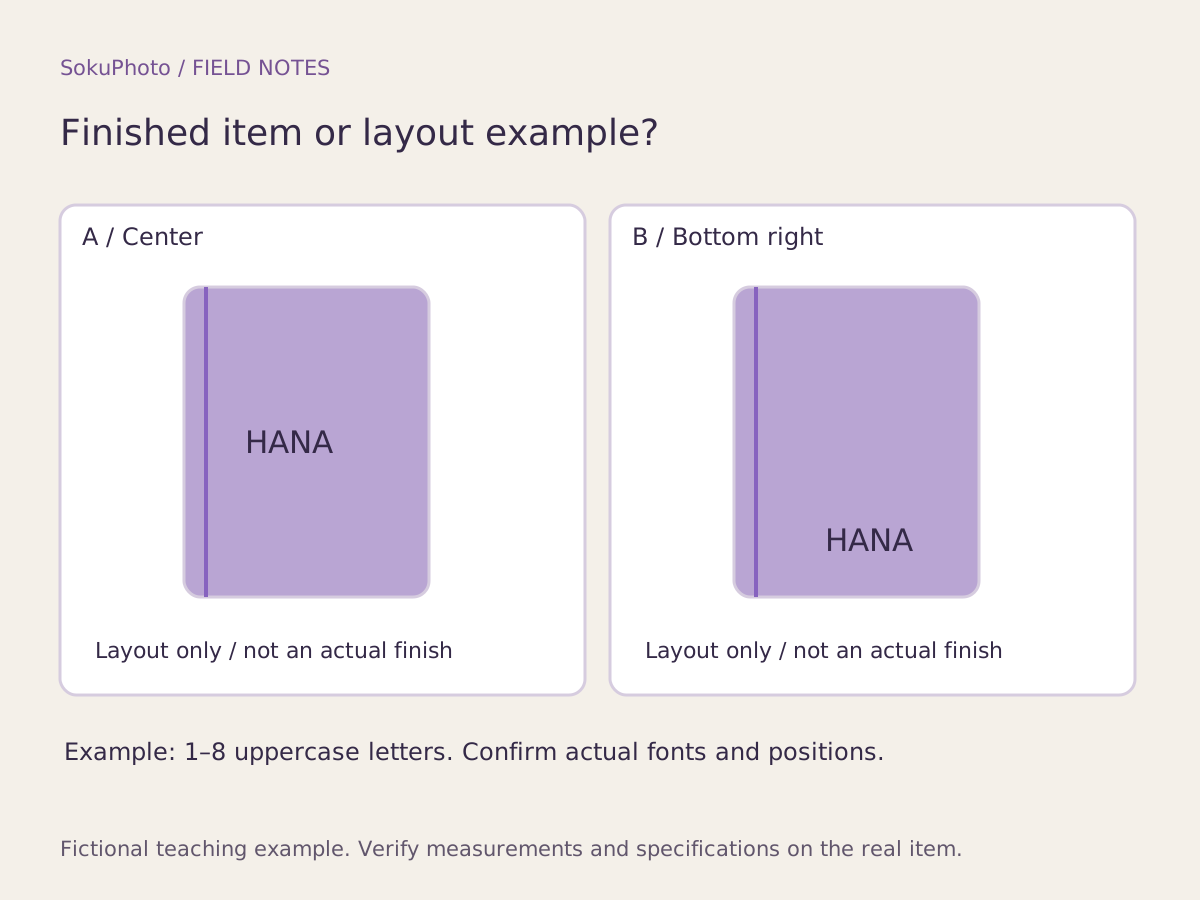
Confirm what you can offer before making images
Before making photos, confirm the available positions, fonts, character limits, accepted characters, and material-specific restrictions with the person doing the personalization. Define the requests you cannot accept instead of promising any text the buyer wants. SokuPhoto's text overlay feature does not change your manufacturing capabilities or engraving accuracy.
This fictional notebook-cover example assumes 1–8 uppercase English letters, a choice of center position A or lower-right position B, and one font. These are illustrative production conditions. The seller must verify them before applying them to a real product.
Separate finished products, placement diagrams, and order fields
HANA in the explanatory diagram is a fictional example, not actual engraving or embroidery. Etsy advises showing an actual finished product whenever possible and requires a finished personalized item in the main image for personalized commercial products. Do not substitute a diagram with placeholder text on a blank product for that main image.
Reference: Etsy: How to Offer Personalized Listings ↗
| What is shown | Photo or illustration | What can be changed | How to verify |
|---|---|---|---|
| Actual finished product | Photograph of the real item | State that the sample name can be changed | The person doing the personalization checks the actual item |
| HANA · center A | Original placement illustration | Illustrative limit of 1–8 uppercase English letters | Replace with the options you actually accept |
| HANA · lower-right B | Original placement illustration | Illustrative choice of position A/B | Compare with the options in the order fields |
| Confirmed order details | Order information, not a photograph | The text entered by the buyer | Check spelling and position before production |
Prepare examples of entries outside your accepted limits
Under these illustrative conditions, HANAKO fits the limit at 6 characters, but HANAKO2026 contains numbers and is 10 characters long, so it is outside the accepted range. はなこ is also outside the uppercase English letter requirement. Even within the character limit, check separately whether symbols or line breaks are allowed. Do not assume a request is acceptable just because it fits visually.
Add verified wording such as “The name can be changed” or “Placement illustration” to explanatory images. Do not describe a text layer as a sample of actual personalization simply because you want it to look like a finished product.
Use order details for the final check
Photos help buyers understand their options. The person responsible should check spelling, position, quantity, and any other conditions in the order fields, then obtain the required approval before production. If the display example says HANA but the buyer requests a different name, do not use the example as the production instruction.
SokuPhoto does not synchronize with your store's personalization order fields or a live personalization preview. Prepare real photographs and finalized explanatory copy, then choose an explanatory-image template that meets the image requirements of your sales channel.
Before you publish
- The difference between real product photos and placement diagrams is clearly stated.
- The sample name is distinguished from the personalization options buyers can order.
- Entries outside the accepted limits can be checked before personalization begins.
- The store's order details match the explanations in the images.
Sources & editorial notes
Original workflows, examples and diagrams by SokuPhoto. Fictional examples are not customer results. Verify the actual product and destination requirements before publishing. Sources reviewed: 2026-09-17.